Crypto wallets are one of the most essential building blocks in digital finance. Whether you invest independently or work with a professional fund, understanding how wallets function—and how to use them safely—is fundamental.
This article introduces the different wallet types, explains how they store and protect digital assets, and walks you through the practical steps of creating a wallet and sending or receiving your first transaction.
Crypto wallets are one of the most essential building blocks in digital finance. Whether you invest independently or work with a professional fund, understanding how wallets function—and how to use them safely—is fundamental.
This article introduces the different wallet types, explains how they store and protect digital assets, and walks you through the practical steps of creating a wallet and sending or receiving your first transaction.
What a Crypto Wallet Is
A crypto wallet does not actually hold coins inside a device. Instead, it stores the cryptographic keys that grant access to assets on the blockchain. These keys verify ownership, authorize transactions, and ensure that only you can control your funds.
A wallet allows you to:
- Store private keys securely
- Send and receive digital assets
- Manage tokens across multiple networks
- Prove ownership of your funds at any time
Without your keys, you cannot access your assets.
With them, you have full control.
What a Crypto Wallet Really Is
A crypto wallet does not actually hold coins inside a device. Instead, it stores the cryptographic keys that grant access to assets on the blockchain. These keys verify ownership, authorize transactions, and ensure that only you can control your funds.
A wallet allows you to:
- Store private keys securely
- Send and receive digital assets
- Manage tokens across multiple networks
- Prove ownership of your funds at any time
Without your keys, you cannot access your assets.
With them, you have full control.
Hot Wallets vs. Cold Wallets
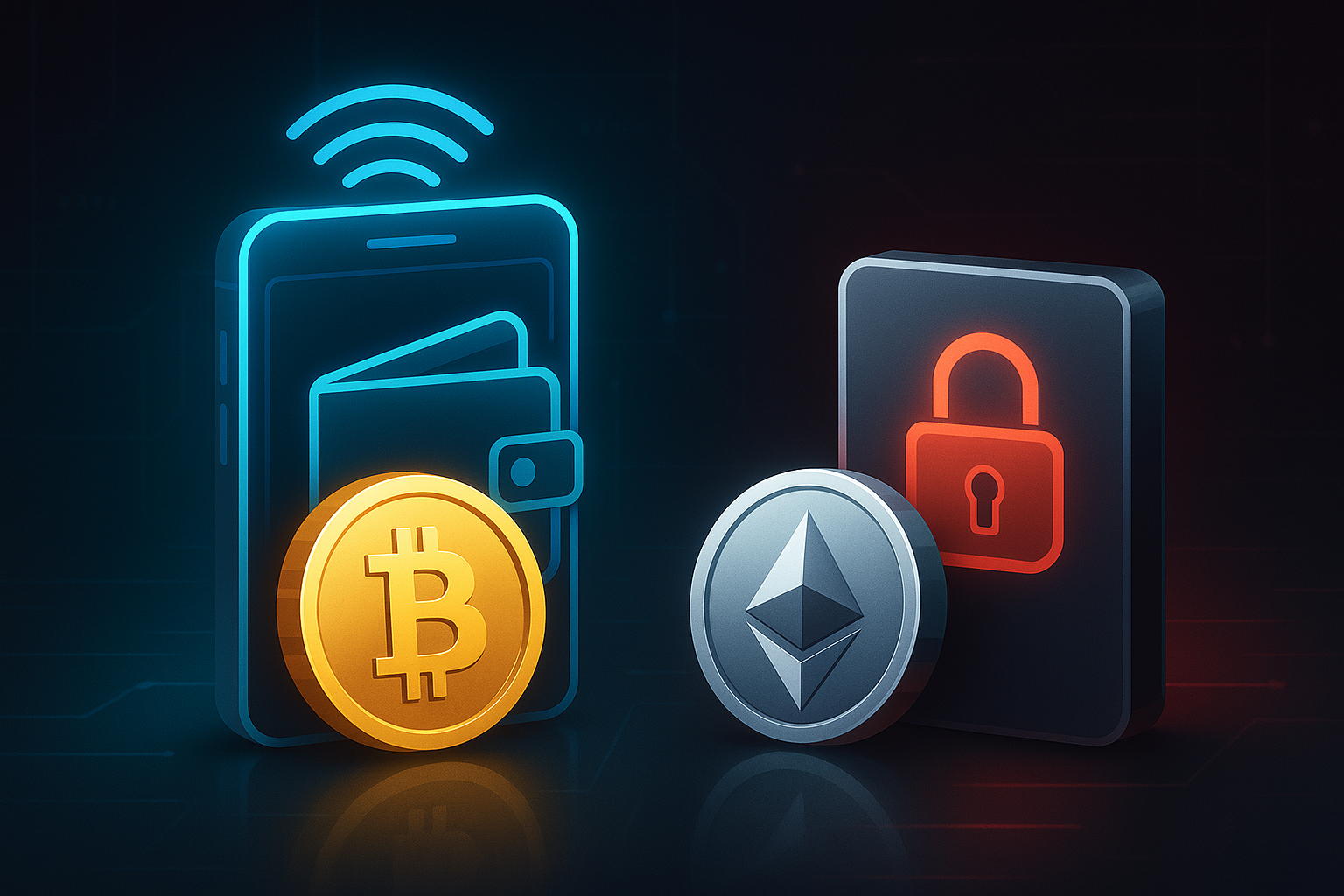
Crypto wallets fall into two broad categories. Both serve the same purpose but differ significantly in accessibility, convenience, and security.
| 🔥 Hot Wallets (Online Wallets) | ❄️ Cold Wallets (Offline Hardware Wallets) |
| Definition: Hot wallets are connected to the internet. They are typically mobile apps, browser extensions, or desktop applications. Examples: MetaMask, Trust Wallet, Coinbase Wallet, Phantom Advantages: – Extremely convenient – Ideal for everyday use – Fast access to DeFi apps, exchanges, and NFT platforms – Free to set up Risks: – Online connection makes them more exposed to phishing, malware, or user error – Not ideal for long-term storage of large amounts Best for: Active users, beginners, and anyone making frequent transactions. | Definition: Cold wallets store your private keys offline on a physical device. Examples: Ledger, Trezor, BitBox Advantages: – Maximum protection against hacks – Offline environment makes stolen keys extremely unlikely – Ideal for long-term storage of high-value portfolios Risks: – Requires physical access – Setup takes slightly longer – If you lose the device and your recovery phrase, funds cannot be recovered Best for: Long-term investors, high-net-worth individuals, and anyone holding substantial amounts. |
How to Set Up a Hot Wallet (Example: MetaMask)
Below is a simplified step-by-step guide suitable for MetaMask, but the structure applies to most browser-based or mobile wallets.
1. Download the Official Wallet
- Open a clean browser window.
- Go to metamask.io (always verify the URL to avoid phishing).
- Click “Get MetaMask” and choose the correct browser version.
- Install the extension and confirm it appears in your toolbar.
This step ensures you are using the legitimate software—not a clone.
2. Create Your Wallet
- Open MetaMask and click Get Started.
- Select Create a New Wallet.
- Set a strong password (12+ characters, symbols, mixed case).
- Accept the terms and continue.
This password protects your wallet on your device—not your assets themselves.
3. Secure Your Recovery Phrase (Most Important Step)
The wallet will now generate a Recovery Phrase (also called Seed Phrase)—typically 12 words in a specific order.
You must:
- Write the phrase on paper, not online
- Store it offline in a secure location
- Never share it with anyone
- Never upload it to cloud storage, screenshots, email, or messaging apps
Anyone with this phrase can take your assets.
No company, including wallet provider like MetaMask or exchanges, can recover it for you.
You will be asked to confirm the phrase by selecting the words in the correct order.
After verification, your wallet is ready.
How Blockchain Transactions Work (In Simple Terms)
When you send or receive crypto:
- Your wallet signs a transaction using your private key
- The transaction is broadcast to the network
- Validators confirm it and add it to the blockchain
- Once included in a block, the transfer becomes permanent
This process ensures transparency, security, and trust—without intermediaries.
How to Receive Crypto (Example: Exchange → MetaMask)
Receiving funds is straightforward, but accuracy is essential.
Steps:
- Open MetaMask and click Receive or copy the wallet address.
- Select the correct network (e.g., Ethereum for ETH or ERC-20 tokens).
- In your exchange account, choose Withdraw or Send.
- Paste your wallet address into the recipient field.
- Always begin with a small test transaction.
- Confirm the withdrawal and complete any required authentication.
- Wait for the transaction to appear in your wallet’s Activity tab.
Important Note
Selecting the wrong blockchain network can result in lost funds.
Always match token type → network → wallet network.
How to Send Crypto (Wallet → Another Address)
Sending assets follows a similar process.
Steps:
- Open MetaMask and ensure you are on the correct network.
- Click Send.
- Paste the recipient’s wallet address.
- Select the asset you want to transfer.
- Enter the amount.
- Carefully verify the first and last characters of the address.
- Review the gas fee settings (Standard/Market is usually fine).
- Confirm the transaction.
- Track it under Activity or via a blockchain explorer (e.g., Etherscan).
Safety Tip
If sending to a new contact, verify the address through a separate channel—never trust a single copy/paste.

Which Wallet Type Should You Use?
The answer depends on your investment profile:
For beginners & active users:
Hot wallets provide maximum convenience and quick access to DeFi, NFTs, and everyday transactions.
For long-term investors & larger portfolios:
A cold hardware wallet provides superior protection and reduces online risk.
Best practice for most investors:
Use both.
A hot wallet for daily use and a cold wallet as a secure vault.
Final Thoughts
Choosing the right wallet and learning to send and receive crypto safely are foundational skills in the digital asset ecosystem. Whether you invest independently or work with professionals, understanding wallet security helps you navigate the crypto space with confidence.
If you’re interested in learning more about digital assets or exploring professional portfolio management, the Bitward team is always available to help.